A large volume of documents usually takes a few days to several weeks to scan, depending on page count, paper condition, preparation, and indexing needs. Handling steps around the scan add up, and scanning itself is often only a fraction of the total time.
Staring at forty boxes of files and wondering when you will get your office back is a common spot to be in. The honest answer is that no two jobs run on the same clock. A realistic document scanning turnaround time depends on far more than scanner speed, and knowing the moving parts helps you plan staff, deadlines, and budgets with fewer surprises. In this article, we cover the stages of a scanning job, the factors that speed it up or slow it down, rough planning ranges, and simple ways to keep your project moving.
Key Takeaways
- Scanning is only one stage. Preparation, quality checks, and indexing often take a large share of the schedule.
- Page count matters, but the condition of your paper matters almost as much.
- Extras such as OCR and detailed indexing add time, and they add value too.
- A written schedule from your provider is more reliable than a verbal guess.
- Organized files at pickup can save days.
How Long Does Document Scanning Take From Start to Finish?
A typical job moves through four stages. Each has its own pace, which is why a quote based only on page count can miss the mark. Some scanning bureaus report that the scanning itself makes up only 20 to 40 percent of a project’s hours.
Stage 1: Preparation
Staff remove staples and paper clips, repair torn pages, flatten folded corners, and group files so they stay in order. Boxes of mixed loose paper take longer here than neatly folded records. Many providers find this stage to be the most labor-intensive part of the job.
Stage 2: Scanning
Production scanners can run at 100 pages per minute or more, and some are rated for tens of thousands of pages per day. Real output is lower because operators stop to clear jams, handle odd sizes, and rescan unclear pages.
Stage 3: Quality Control and Indexing
Each batch is examined for missing pages, skewed pictures and illegible text. If you would like OCR, file structure, or indexed file names, it will take extra time, especially when it comes to fields like patients’ ID numbers or case names.
Stage 4: Delivery and Disposal
Files reach you through secure download, a drive, or cloud storage. Original paper is then returned, stored, or shredded based on your instructions, and some clients keep the originals for a review period first.
What Shapes Your Scanning Project Timeline?
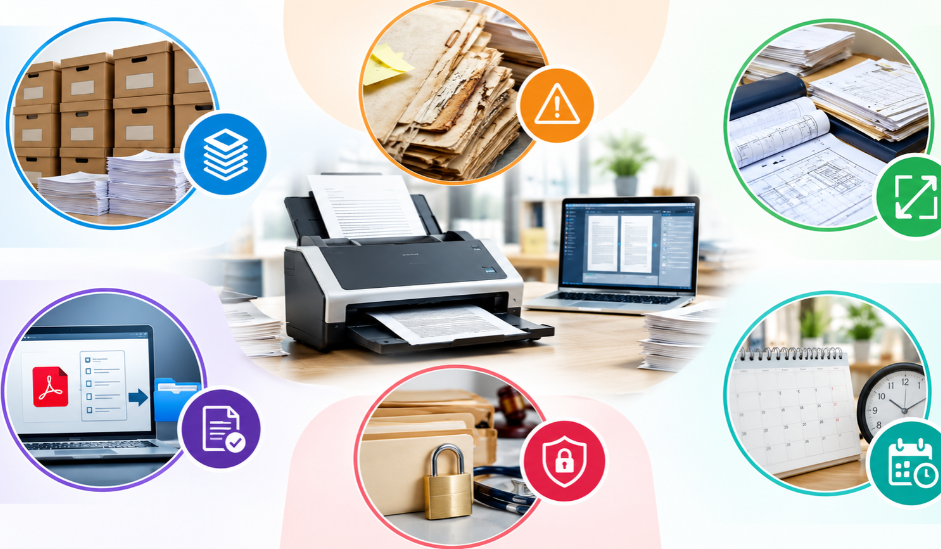
Six factors do most of the work in setting the schedule, and knowing them early helps you ask better questions, compare quotes fairly, and spot where your preparation can remove delays:
- Volume: A standard banker box holds roughly 2,500 pages, so 40 boxes means about 100,000 pages.
- Condition: Brittle paper, rusted staples, sticky notes, and bound books slow the process.
- Variety: Different sizes, double-sided pages, and large-size drawings require special handling.
- Needs in output: A simple PDF is delivered faster than an indexable file.
- Privacy policy: Medical and legal documents require special handling.
- Scheduling: Time of pickup, time for you to look at it, workload of your provider.
Planning Ranges for Bulk Document Scanning
Wondering how long does document scanning takes for your own boxes? Treat these figures as a starting point only.
| Project Size | Approximate Pages | Typical Window |
| 1 to 5 boxes | Up to 12,500 | A few days to one week |
| 10 to 20 boxes | 25,000 to 50,000 | One to three weeks |
| 40 to 100 boxes | 100,000 to 250,000 | Several weeks to a few months |
Larger jobs are commonly delivered in phases, so your team can start using finished batches while the rest is still in progress. If you want a closer estimate of your own scanning project timeline, a review of your files by a provider is the most reliable place to start.
How to Shorten Your Document Digitization Time
Delays usually come from waiting on answers, not from the machines. These steps keep things moving:
- Count your boxes and note the document types before asking for a quote.
- Remove duplicates and records past their retention period, after confirming your own retention rules.
- Decide on file names, folder structure, and OCR needs before work begins.
- Flag fragile, oversized, or confidential items up front.
- Name one person who can answer questions quickly.
Good preparation can noticeably reduce your document digitization time.
Conclusion
Most large projects land somewhere between a few days and several weeks, shaped by volume, condition, and the level of indexing you need. Planning around the full process, not just the scanning, gives you a schedule you can trust. It helps you protect deadlines, brief your staff early, and avoid last-minute surprises once the boxes leave your office.
A provider like Access Scanning can review your boxes and share a clear timeline before work starts, so your team knows what to expect. If you are weighing bulk document scanning for your office, start with an honest count of your files and a clear idea of how you want them delivered.
FAQs
How long does document scanning take for 1,000 pages?
With a production scanner, the scanning can take under an hour. Preparation, quality checks, and indexing usually stretch the full job to a day or two, depending on how organized the pages are.
What if I need a file while the project is underway?
Many providers can pull and scan a requested document ahead of schedule. Policies differ, so ask your provider how urgent requests are handled before the project starts.
Does on-site scanning change the timeline?
It can. On-site scanning removes pickup and transport time, but the work happens in your space, so access and available room can affect the schedule. Ask which option suits your volume.
Does a faster turnaround cost more?
It can. Rush schedules may need extra staff or equipment time, so pricing can change. Ask for both a standard and a rushed quote so you can compare the two.
Is it faster to scan in-house or hire a scanning service?
For small stacks, in-house scanning works. For thousands of pages, a service is usually faster because it has production scanners and trained staff, while your team keeps doing its regular work.
Get a Clear Schedule for Your Scanning Project
Share your box count, document types, and deadline with our team, and you will receive a clear timeline for your project. Request your quote today and know what to expect.